Newsletter
Exclusive expert tips, customer stories and more.
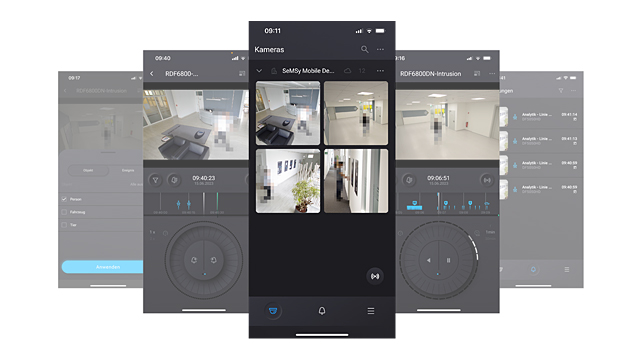
SeMSy® Mobile Client enables mobile and professional access to Dallmeier camera and recording systems via the Dallmeier Connect Service.
After creating an account, the latest Dallmeier cameras can be integrated directly, quickly and easily via a QR code and assigned to a location (site).
Current Dallmeier recording systems can be optionally integrated just as easily, which also support access to older camera generations as a link (proxy).
User management & Sharing
The integrated user management of the SeMSy® Mobile Client allows to invite other users directly from the application to access the cameras and recorders of a site. The rights of the individual guests can be individually defined via user roles and, if necessary, revoked again.
Connection & Security
Live access to the video streams is encrypted end-to-end via the Dallmeier Connect Service. Using state-of-the-art technologies saves the time-consuming configuration of firewalls and routers in the local network and ensures maximum system security by avoiding direct connections between the devices involved. The same applies to the playback of the locally stored videos, which are neither edited nor buffered during the entire transport route to ensure the highest data security.
Overview & Information
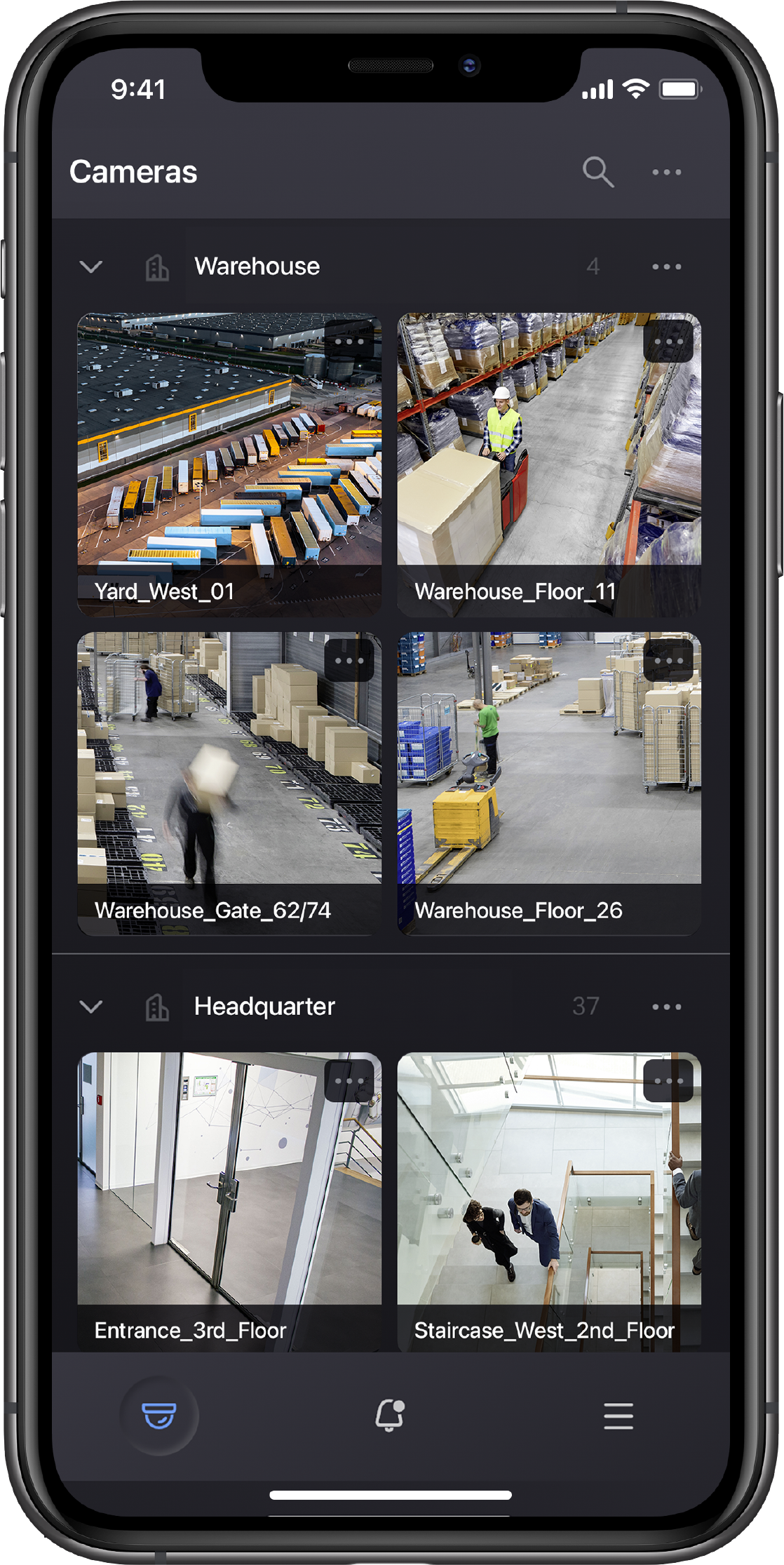
The cameras of a site are displayed in an overview with refreshable and scalable preview images. After a refresh, this view allows for quick and intuitive information about the overall situation of a site. The individual cameras can be selected for playback mode by tapping on them or switched to display live video directly in the overview by holding down for a longer time.
Playback & Control
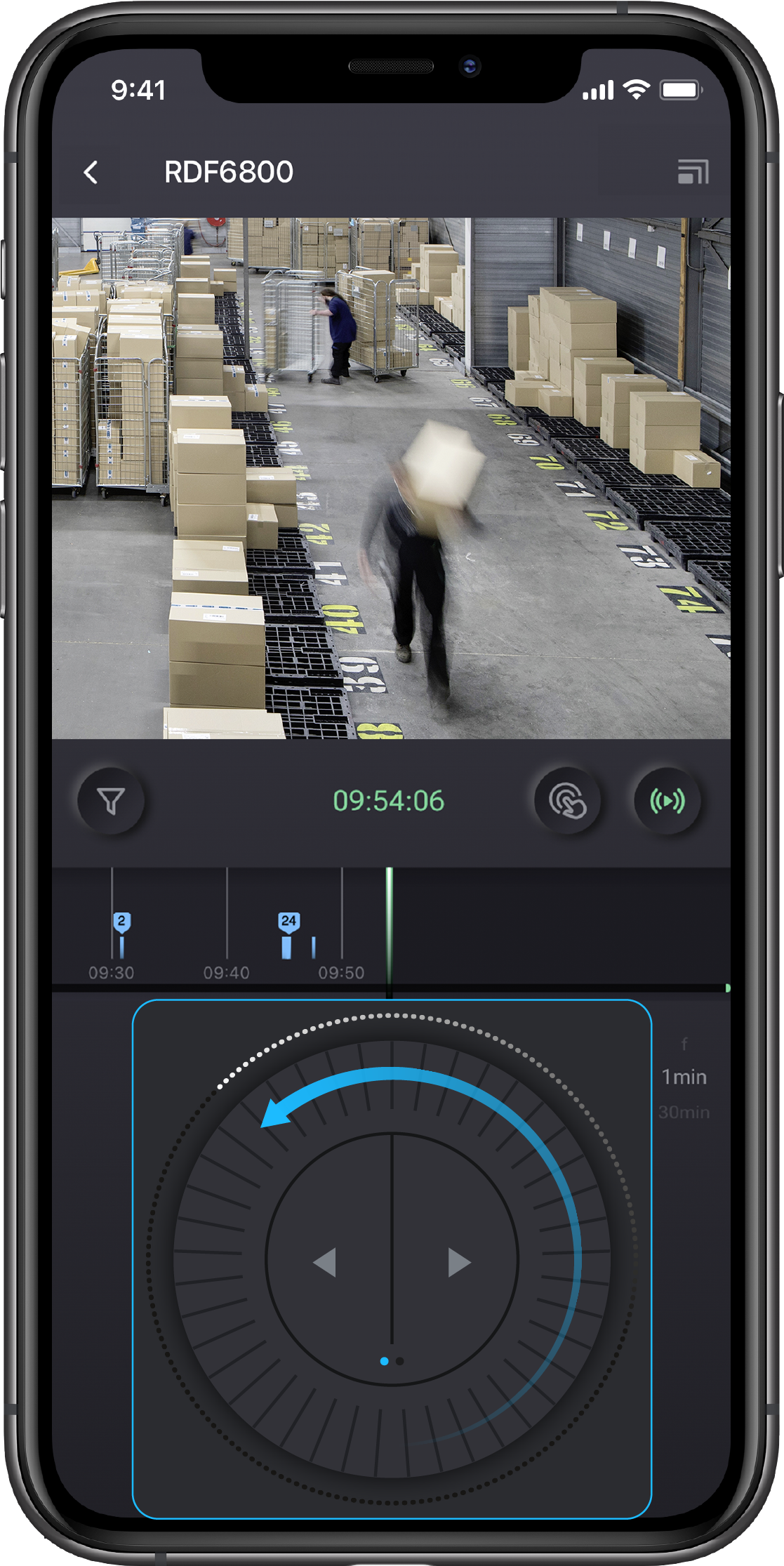
After selecting a camera in the overview, it is first displayed with a live image that already supports pinch-to-zoom. The interactive and scalable timeline can be used for initial positioning in the recording by swiping, and allows direct selection of an event by tapping the displayed icons. For convenient playback control with only one hand, the multifunctional track wheel is available, whose step width can be adjusted as well as the playback speed.
Event messages & Push
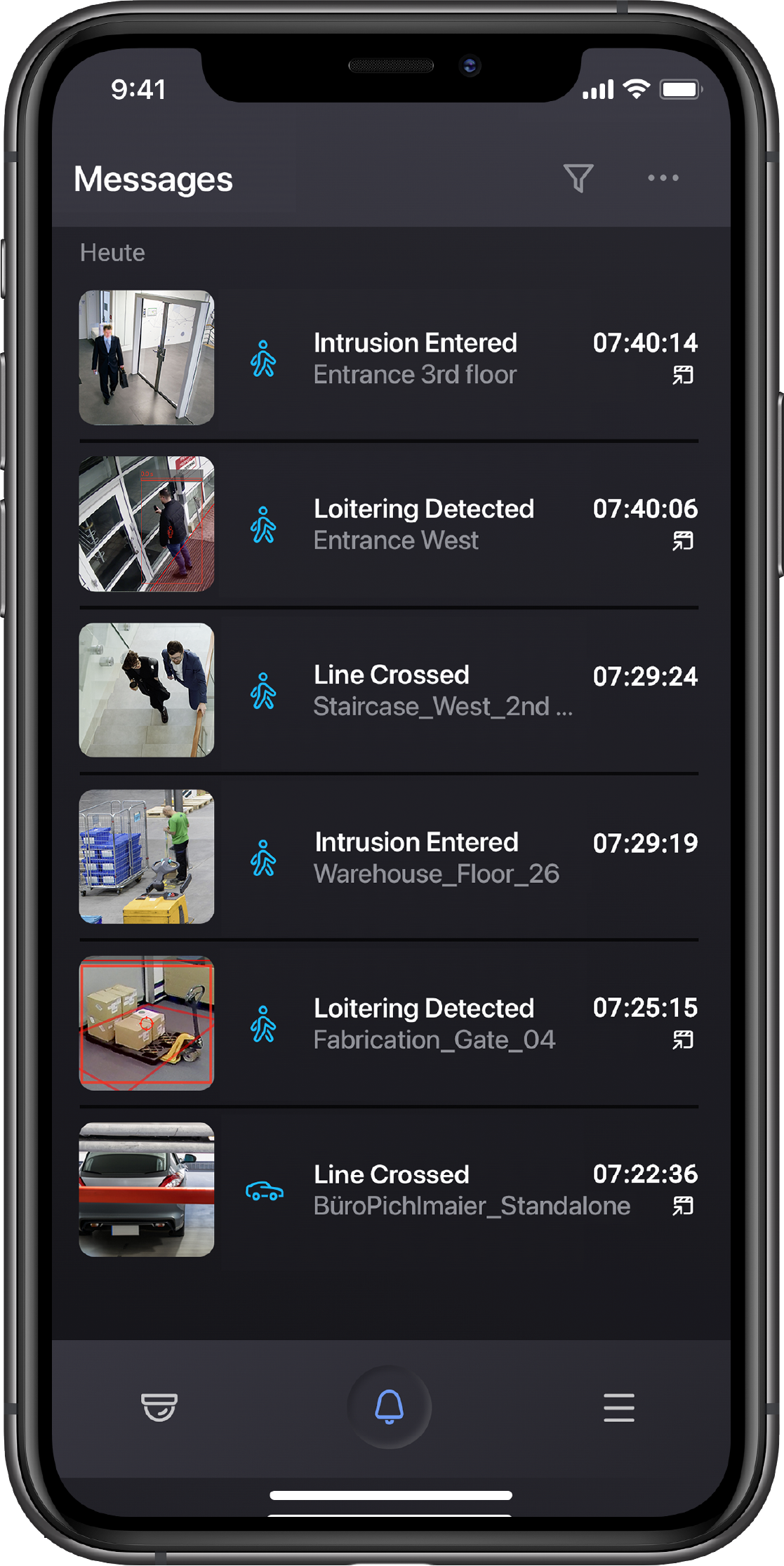
The status and event messages of the connected cameras and recording systems are transmitted via the Connect Push Service to the Mobile Client, which displays all messages in a clear list and, if necessary, with a preview image of the triggering event. Playback of the event can be activated directly from the message list, which is then clearly displayed in the timeline together with other messages.
Panomera® & Fisheye
All overview, playback and control options are also available for the overview module of Panomera® systems and the latest Dallmeier fisheye cameras. The latter are displayed in overview with the original panoramic view and in playback in a rectified view that supports pinch-to-zoom as well as the positioning of the image section. In full-screen mode, which is achieved by aligning the smartphone horizontally in landscape mode, the fisheye image is available as a rectified and operable panorama.
Note
When using the SeMSy® Mobile Client via the Internet and the Dallmeier Connect Service, additional costs may arise depending on the mobile phone contract.
Further Features
Included Dallmeier Connect Services
Supported Dallmeier systems
Supported operating systems
The first complete “mobile first” video management system for professional use:
AI-qualified
Push Notifications
Track Wheel
Your Events
On the go
Engage from Remote
Security by Design
Developed and Made in Germany
The cameras of the Dallmeier Domera® and Panomera® families offer a wide variety of AI-based video analytics and automatically detect suspicious or relevant events.
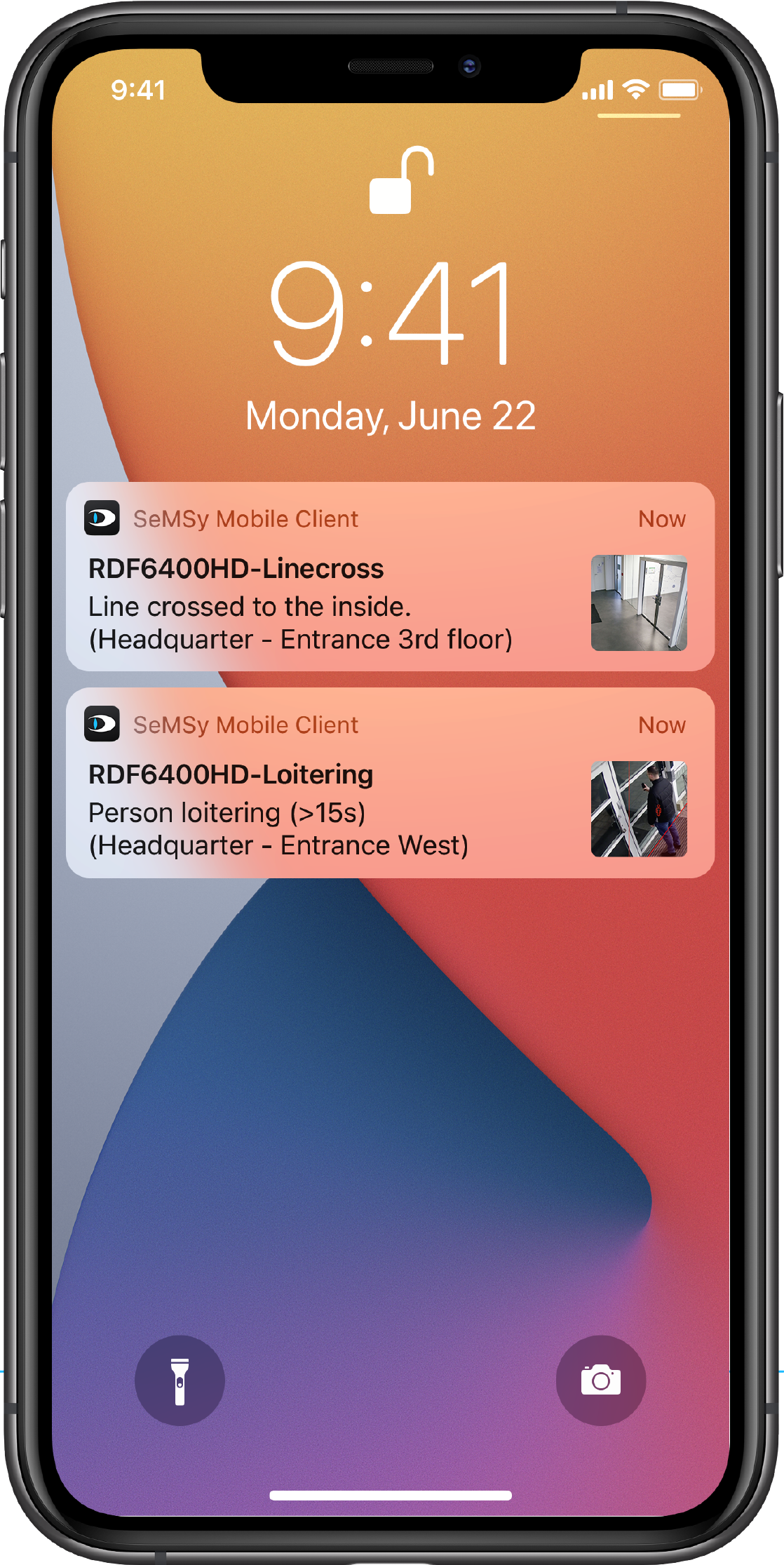
The “SeMSy® Mobile Client” combines these capabilities with the mobile world: in case of an event, a push notification goes to the authorized users.
Through various live view and playback functions, they can immediately get a picture of the situation and perform appropriate actions: From addressing a person via loudspeaker to informing other colleagues to triggering a wide variety of IoT devices such as doors, barriers etc.

Every user has different preferences.
If desired, you can navigate through events, backups and other functions with the intuitive “haptic-responsive” trackwheel – or via the easy-to-use slider.
Easily understandable icons provide additional usability support.
The SeMSy® Mobile Client receives status and event messages from the cameras and recording systems and creates push messages to inform the user, depending on their role & site. All messages are displayed in an easy to navigate list with preview images. From there, playback of the event can be activated directly.
SeMSy® Mobile Client combines the functional and security requirements of professional organizations with the user-friendliness and simplicity of a consumer application.
A highlight of the SeMSy® Mobile Client is the integrated user management. Users can invite other users from their organization directly from the application to gain access to cameras and recording systems on a site. The individual user rights can be defined via user roles. If necessary, access can be revoked quickly and efficiently at any time. Comprehensive security features round off the professional claim of the “smallest Dallmeier solution”.
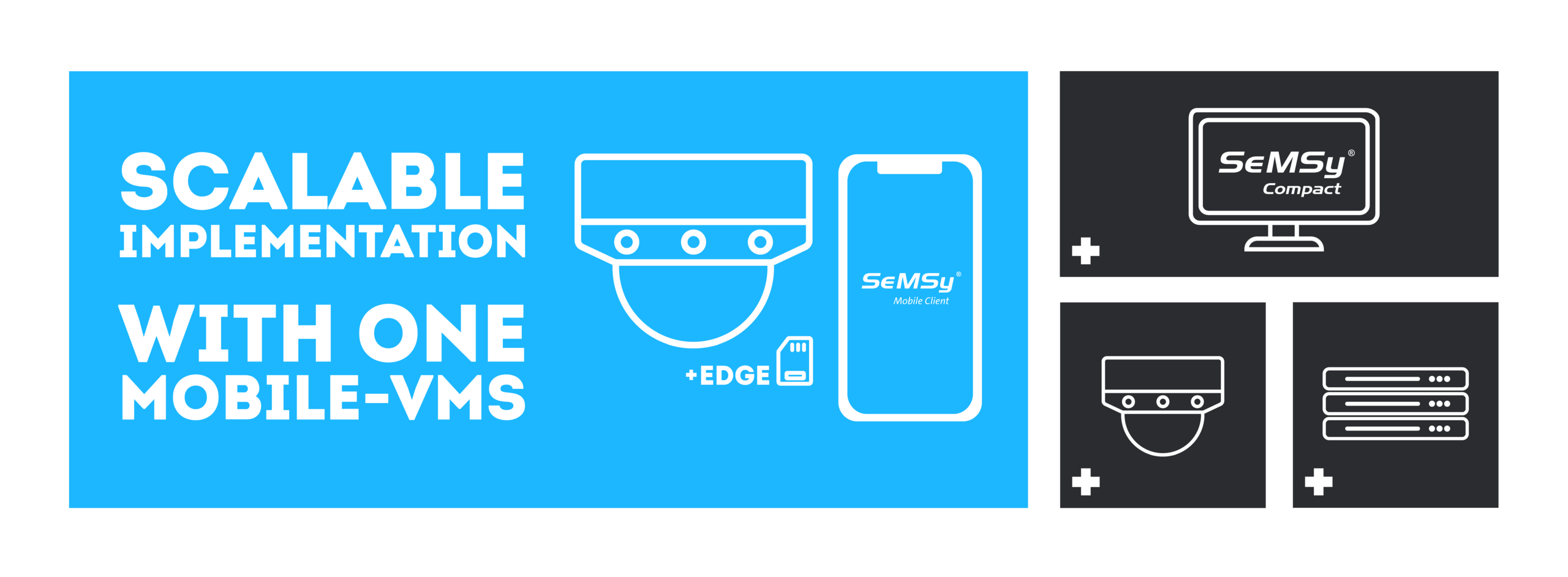
The SeMSy® Mobile Client grows with your requirements:
From small to large – “in your pocket”
All information about the new SeMSy® Mobile Client at a glance